Quick guide and keys
You never need a key or a command to use Lodestar: everything is on the Lodestar menu. The keys and commands here are shortcuts for players who like them.
Bind the keys
Section titled “Bind the keys”Open Options → Controls → Key Binds and scroll to Lodestar Trail. Every Lodestar key starts unbound, so none of them clash with your other mods until you choose a key.
| Key binding | What it does |
|---|---|
| Hold for quick guide | Opens the quick guide wheel while held |
| Open Lodestar | Opens the Lodestar menu |
| Toggle guidance trail | Hides or shows your guide without clearing the destination, like Pause guide |
| Guide to looked-at block | Guides you to the block you are looking at, up to 128 blocks away |
| Mark return point | Remembers where you stand, without changing where you are going |
| Guide to return point | Guides you back to the return point you marked |
Guide to looked-at block picks the first loaded block along your view. If there is none in range, Lodestar says “No loaded block in sight within 128 blocks.”
The return point is a quick, temporary bookmark, separate from Home and your saved places. Mark return point and Go back to return point are also on the Lodestar menu under More options.
The quick guide wheel
Section titled “The quick guide wheel”Bind Hold for quick guide to a key or mouse button. Hold it during play and four buttons appear around the middle of the screen, with the world still visible behind them:
| Position | Button |
|---|---|
| Top | Go home, or Set home here if you have no Home yet |
| Right | Retrace my steps |
| Bottom | Save this place |
| Left | Pause guide or Resume guide |
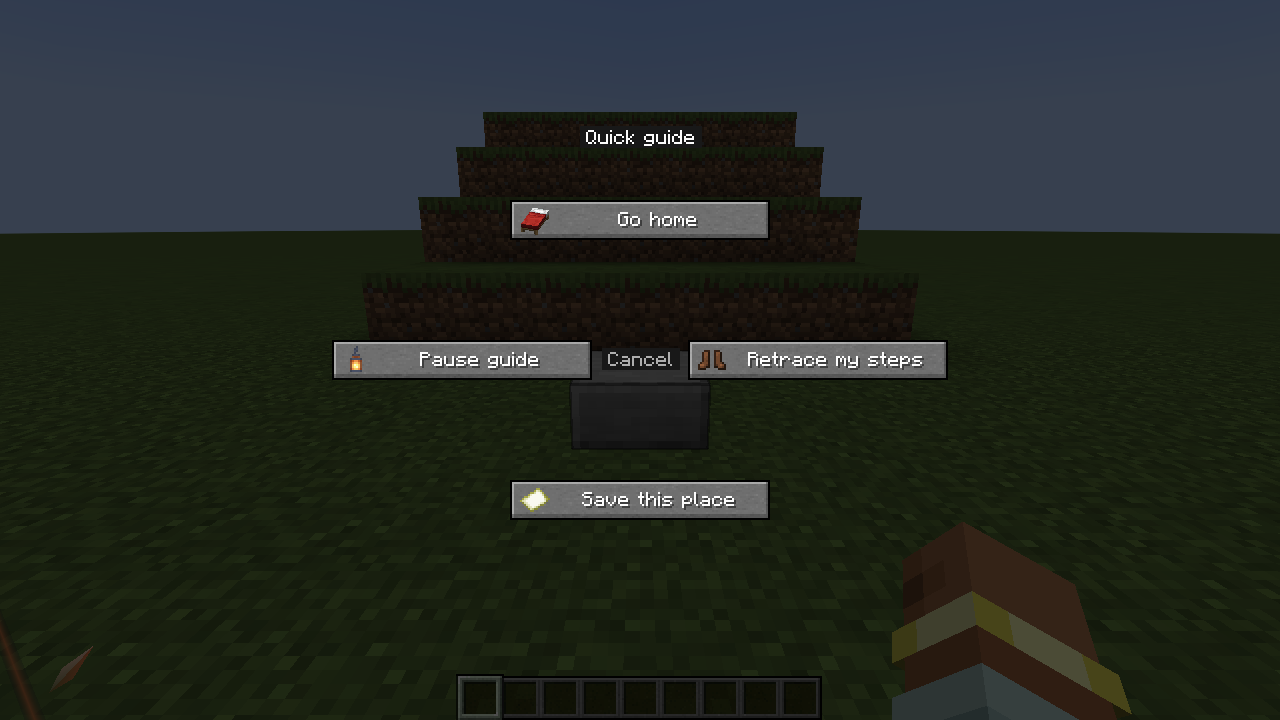
Point at a button with the mouse (or press an arrow key), then let go of the key to use it. Letting go over Cancel in the middle, pressing Esc, or switching to another window closes the wheel without doing anything.
- Set home here saves Home at once and says “Home saved. You can find your way back any time.”
- Save this place opens the place editor so you can name it.
- Retrace my steps with nothing recorded yet opens My outings to explain.
- Pause guide is greyed out until you have a destination. While you point at it, the wheel says “Choose a destination first”.
Commands
Section titled “Commands”Lodestar’s commands run in your own game, so they work on any server. Type them in chat:
| Command | Effect |
|---|---|
/lodestar set <x> <y> <z> |
Guide to these coordinates in your current dimension. ~ and ^ work as in vanilla commands. |
/lodestar clear |
Stop guiding. History and saved places are kept. |
/lodestar show |
Show the destination and how far away it is, or which dimension it is in |
/lodestar list |
List your last five different destinations, newest first |
/lodestar use <1-5> |
Guide to a destination from that list |
/lodestar toggle |
Hide or show the guide without clearing the destination |
/lodestar destinations |
Open Places |
/lodestar favorite <name> |
Save the current destination as a place with this name |
/lodestar mark |
Guide to the block you are looking at, up to 128 blocks away |
/lodestar return mark |
Mark your current spot as the return point |
/lodestar return |
Guide back to the return point |
/lodestar journey add |
Add the current destination to the journey |
/lodestar journey start |
Start the journey |
/lodestar journey skip |
Skip to the next stop of a running journey |
For example, /lodestar set ~40 ~ ~20 guides you to a spot forty blocks east and twenty blocks south of where you stand.